News:
Key Features:
- Effectively retrieves the data off the discs created by "drag and drop" CD/DVD writing software, such as well-known Roxio (Adaptec) and Ahead Nero software packages, CeQuadrat's PacketCD, Sonic Solutions DLA, B's CLiP and others.
- Recovers DVD movies and photos, created by a wide set of standalone devices that record directly onto disks, including Hitachi, Canon, Panasonic, Samsung and Sony DVD camcorders as well as standalone video recorders.
- Includes a built-in Video Splitter. Splits the recovered VOB or VRO files into a several clips (scenes), automatically converting a "raw" DVD-video into MPEG files without loss of quality. Specially tested on the discs, recorded by Hitachi DVD camcorders.
- Burns a new DVD with recovered video that can be played back in the most DVD players.
- Recovers CD data written by Sony Mavica CD digital cameras.
- Includes a fault-tolerant UDF Reader. Provides direct access to UDF discs, including CDs and DVDs written by old versions of Roxio (Adaptec) DirectCD and Drag-To-Disk. Finds and retrieves accidently deleted files, files located in the corrupted folders, files on incorrectly closed disks, etc.
- "On-the-fly" unpacks the files initially compressed by Roxio (Adaptec) DirectCD.
- Retrieves back up files from the discs recorded in several stages (multisession discs).
- Includes a built-in CD/DVD data burner. There is no need to run third-party CD/DVD mastering software if you wish to burn a new DVD-video disc or backup your files and folders immediately after recovery. The "Burn" option is integrated into a common shell. Just write a new disc with recovered data shortly, without leaving CDRoller!
- Erases CD and DVD re-writable media. Supports quick and full erase methods.
- Examines disc sectors at low level. Displays the sector content in text, binary, hexadecimal or unicode mode. It also scans all sectors of a disc (selected track or file) for particular data. Recommended for engineering purposes and also for law enforcement and forensic investigators.
- Identifies the lost files on ISO/Joliet discs with the damaged file system (volume descriptors, path tables and directories), using the raw data only.
- Rescues the data from scratched, damaged or defective discs.
- Provides direct access to the hardware, bypassing the Windows File System. Looks for the lost tracks (sessions) every time when you insert a new disc into the drive
- Digitally extracts audio tracks into a wide set of wave formats.
- Tests CD/DVD readability.
- Extracts ISO Image file. Burns ISO Image file to a new disc.
- Catalogs files and folders into CD/DVD library.
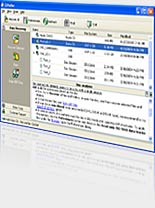
- All features are integrated into a common and easy-to-use intuitive shell.
CDRoller supports industry-standard ISO 9660 file system, including Microsoft's extensions for long file names support, so-called Joliet extensions. CDRoller also supports the discs formatted in UDF file system, including versions 1.02, 1.50, 2.0, 2.01, 2.50, 2.60 and also so-called UDF Bridge format.
Support of wide set of CD, CD-R, CD-RW and DVD formats such as:
- CD format CD-DA,
- CD format CD-ROM,
- CD format CD-WO,
- CD format CD-ROM XA and Mixed-Mode CD,
- CD format Stamped multisession CD,
- CD format CD-MRW ("Mt. Rainier" CD-RW),
- DVD format DVD-ROM, DVD-R, DVD-RW, DVD+R, DVD+R DL, DVD+RW, DVD-R DL, DVD-RAM.
System Requirements
To run CDRoller, you need at least:
- Microsoft Windows 95/98/ME/2000/XP/2003/Vista operating system,
- Intel Pentium or compatible CPU,
- 256 MB of RAM,
- 12 MB free hard disk space for program installation and some additional space for CD/DVD images,
- CD/DVD drive(s). The devices with IDE or SCSI interfaces are highly recommended under Windows 95/98/ME.
Signup to our Mailing List
|
User Testimonials:
- "Fantastic! It saved 500+ valuable digital pictures on a Roxio Drag-to-Disk CD-R that got corrupted during file copy. I am ever grateful for your program, and I gladly paid the price for my license. Good work!!"
Robert, Mesa, AZ, USA
- "CDRoller works great! The files I recovered were worth over 1,800 times what I paid for it!"
Gary Rea, Edmond, OK, USA
- "Thank you so much for you product. I had a DVD with my daughter’s first Christmas and first Birthday and other priceless moments from her first year of life. Your software gave me my precious memories back that otherwise would have been irreplaceable."
M. White, Franklin, TN, USA
- "I am writing to express my appreciation for your product. I have a Sony DVD handycam which inexplicably generated a "disc is unrecordable" error message one day. We faced the prospect of losing a whole DVD-R of family memories including Christmas morning. CDRoller successfully recovered the entire video."
Miles T., Mequon, WI, USA
- "My Sony Mavica camera malfunctioned, giving me an error message for which I thought there was no cure... I found out about CD Roller on a website with Mavica owner who had similar problems and was able to rescue all the photos... you have no idea how happy I am about this!! Thank you again!!!"
Ethan Wohl, San Clemente, CA, USA
- "I am sure you get e-mails like this all the time, but I swear to you there are tears in my eyes as I write this. CD Roller helped me rescue 130 pictures that meant a great deal to me...it was worth every penny we spent. THANK YOU."
Lucia, Deerfield Beach, FL, USA
- "Thank you for retrieving some of the most precious moments in my life that I thought may have been lost forever. I will recommend your program to everyone I know! It is also sooooo easy to use!"
Pamela M., Rochester, NY, USA
- "I just wanted to say a great thank you to CD roller. Several I.T. experts (at work and in my town) had looked at the lost CD data and suggested various ideas - none worked. The disc and data had been all-but-lost for over 12 months. I have now retrieved everything. The price I paid of £20 (or so) for CD roller was nothing. It has saved me uncountable hours of trying to retrieve the data - much of it unique and my own reports."
Alan Cook, Warwickshire, United Kingdom
- "I'd just like to thank you for your excellent product. I was going mad trying to retrieve data from a CD-RW, which went errant during a blue screen on my laptop. I have now all but one of the files back. Well worth twenty quid! All the 'professionals' I phoned up didn't have a clue."
Laurence A., Farnborough, United Kingdom
- "I have successfully recovered all but a handful of around 2500 files from the dodgy CDRW. My best wishes to your crew, you are without doubt a diamond geezer!!"
John Liddle, United Kingdom
- "It is absolutely fantastic program, definitely a bargain at twice the price. I was able to completely recover ALL my files from a DVD that had not closed off properly. All the Best to all the folks at CDRoller."
Larry McIlmoyle, Ontario, Canada
- "I'm the happiest man at the moment, all photos are recovered. Finally I can complete my family album. Thanks guys, this is a wonderfull tool."
Fred K., Maastricht, Netherlands
Read more success stories...
|
What's new in the version 7?

- New CD/DVD Burn option released. Now, there is no need to run 3-rd party CD/DVD mastering sofware if you wish to make a new DVD with recovered video, backup your files and folders immediately after recovery or simply write ISO Image File onto a new disc. The "Burn" option is integrated into a common shell. Just write a new disc with recovered data within a couple of minutes, without leaving CDRoller!
- New Erase option released. It blanks CD and DVD re-writable media. Support of quick and full erase methods.
- Recover DVD Video is significantly updated. The disc scan became more flexible. Now, you can start a new scan of the selected area, or resume scan where you left it before, or just show a list of files found at the prior stages. Added support of discs created by the newest Hitachi DZ-BX and Samsung DVD camcorders.
- Forced scan option updated for the discs created by Sony Mavica digital cameras.
- Split Video updated. Now, there is no need to have DVD inside the computer drive in order to extract MPEG fragment(s) from the recovered VOB or VRO file.
- Main ToolBar updated. Added Split Video, Burn and Erase buttons.
- Updated View Image option to show JPEG images,created by Sony Mavica CD digital cameras and DVD camcorders.
- New Examine Sectors option released. It examines disc sectors at low level and displays the sector content in text, binary, hexadecimal or unicode mode. This option also scans all sectors of a disc (selected track or file) for particular data. Recommended for engineering purposes and also for law enforcement and forensic investigators.
- Improved data recovery on write-once discs (CD-R, DVD-R, DVD+R and DVD+R DL) written by built-in Vista CD/DVD burner.
- New DVD-Video authoring option released. The program now not only finds and recovers the lost video and photos on the "troubled" DVDs, but it also burns a new discs that can be played back in the most DVD players.
- Forced scan option updated for the discs created by AVCHD camcorders.
|
 US $39

|
Have any opinion about CDRoller? We would like to hear from you. Please take a moment to share your feelings, ideas and bug-reports. If you think we have missed something, please do not hesitate to suggest your great feature, and you will see it in the future releases! We always appreciate your contribution! Please feel free to contact us if you have any problems or questions regarding CDRoller, including pre-sales support.
|
How to upgrade my previous version to CDRoller 7?
To upgrade your previous version (CDRoller 3, 4, 5 or 6) to CDRoller 7, you should contact our Sales Dept. Please send us your personal license key, or name and and e-mail address that you used when purchasing the software, or any other info (your order ID, post address, etc.) that may help us to identify your purchase status. Your request will be responded shortly, usually within 2 to 12 hours.
|
|